Showing posts sorted by relevance for query amarok. Sort by date Show all posts

April 2, 2019

More Than A Year Since It's Last Maintenance Offering, Amarok Still Has Not Had A Proper Plasma 5 Release


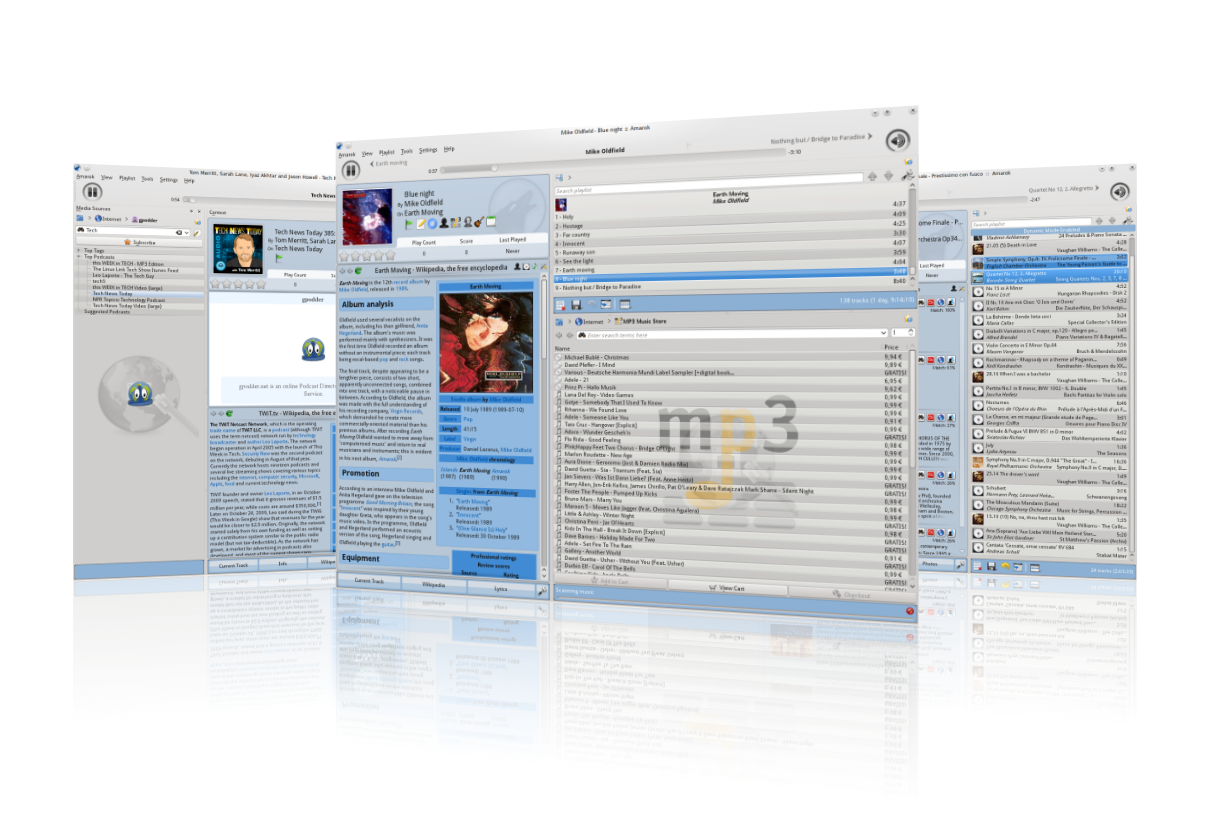
Amarok 2.9.0 on KDE Plasma


More than a year out from it's last maintenance release, and 15 years(!) since it's first edition, KDE's venerable music player has not yet seen a release for proper Plasma 5 integration and support.

Hard to believe it's been 15 years for Amarok to be rocking in the free (and not-so-free) world. When the announcement for the 2.9.0 release was made last March that kept the application functioning for the most part in the Plasma 5 era, the release stated:

"In fact, the port is already progressing nicely in the Git 'kf5' branch, which is soon to become the new ‘master’ branch. We welcome everybody willing to help out to check out the source code and improve the next major version of Amarok!"

However, since that time, we haven't heard anything from camp Amarok. Now it should be noted that the current version, - 2.9.0 - for the most part works fine on Plasma 5, and is available in the repos and software stores of nearly all major KDE distributions. I realize this may surprise some of you, as many I've talked to assumed Amarok was somewhat left to bit rot into oblivion.

This does not seem to be the case, although when I tested Amarok on my Neon system, some plugins were not working. Mainly the 'photos', 'info', 'upcoming events', and 'tabs' (guitar tablatures) did not seem to be doing anything for me. These likely need some love in order to function again.

Amarok album art collection
Amarok has some really nice features,
such as dynamic playlists, Lyric retrieval,
cover art retrieval, a built-in E.Q., robust
online integration, and more


Maybe it's not all doom and gloom


On a positive note, a quick scan of Amarok's Git repo does show some activity.  Some of it as recently as two months ago - so that's pretty encouraging. Also worth noting is this page outlines what has been done and needs to be done to get things in proper shape. If I'm understanding it correctly, right now Amarok uses a dependency on the lib 'KF5::KDELibs4Support' to keep things running. This, of course, is not a good long term solution but rather a patchwork way of keeping the moving parts working. It would be curious to know how many other KDE apps use these libraries...

Another apparent bright spot is this Amarok commit page, where we can see work is still being done to the Master branch, albeit mainly by one person (Laurent Montel). However, it does not appear that anything has yet been tagged as a "3.0" version milestone as of yet. Which is a bit disheartening.

Amarok 2.9.0, shown as available via the Discover Software Center in KDE Plasma
Amarok 2.9.0, shown as available via
the Discover Software Center in KDE Plasma


Summary (queue best Monty Python voice - "I'm Not Dead Yet"!)


It's been a while since I wrote about Amarok. While many of our readers have likely moved on, and there is certainly no lack of media players and music players available on Linux (understatement of the year?), to many of us old timers Amarok holds a special place in our hearts. This application has stood the test of time, been around forever, and like all the great KDE applications is - by design - Simple by default, Powerful when needed.

To my knowledge, there is no other single music player available for KDE, or Linux in general for that matter, that can do as much out of the box and do it as elegantly as elegantly as Amarok. Let's hope that 2019 brings some good news with regards to this KDE original. I'm sure Amarok would regain quite a following and a lot of new fans should a proper release and an appropriate amount of Promo come to light.

In the meantime, Happy belated 15th birthday to Amarok!


Amarok 1.4.3, as it appeared in 2007 - courtesy of wikimedia.org
Amarok 1.4.3, as it appeared in 2007
- courtesy of wikimedia.org

PS - If your curious for an overview of all that Amarok can do, please check out their features page. It's pretty impressive. Amarok can even be your podcast manager, should you so choose. Multitaskers FTW.

August 5, 2012

KDE's Amarok Music Player 2.6 Release Imminent, Release Candidate Announced

A few days ago the Amarok team announced that the release candidate for Amarok 2.6 is available for testing. Taking a look since the version 2.5 release back in December 2011, there has been a lot of work done both in new features as well as bug-fixes galore.

New Features

A quick rundown of new features since 2.5 reveals:
  • A complete overhaul of the iPod and iPhone support
  • Transcoding for iPod-like and USB Mass Storage devices
  • The Free Music Chart service is now activated by default
  • Show all audio and video files in file browser (BR 303253)
  • Remove codec install support. It's long ago been implemented in phonon
  • Prevent lags with large Saved playlists. (BR 301700)
  • Increase minimal required ffmpeg version up to 0.7.
  • Use audio-x-generic icon for bit rate, not a generic one. (BR 302753)
  • Add Amarok.Playlist.playMediaList() script bindings for API symmetry
  • Building the spectrum analyzer applet can now be disabled with a CMake argument 
  •  Amazon store: improved album search
  • Support for transcoding when copying tracks to USB Mass Storage devices;
    per-device transcoding preference can be saved, too
  • Provide Repopulate and Turn off link in "Dynamic Mode Enabled" bagde
  • Support for setting cover images for albums on USB Mass Storage devices
  • Support for setting and unsetting cover images for iPod albums, can
    write back covers to file meta-data too, respects configuration
  • Amazon store: ability to check out an item directly without using the Amarok
    shopping cart (BR 288808)
  • Amarok now includes the Free Music Charts service by default
  • The maximum dimensions for embedded covers are now configurable (BR 279493)
  • Small configuration dialog for iPods that shows troubleshooting information
    and allows to change iPod name
  • Improved usability of iPod playlists: iPod collection automatically transfers tracks dropped to iPod playlists to iPod when it is needed
  • Tracks can now be transcoded when transferring them to iPod (BR 291722)
  • A diagnostic dialog reporting versions of Amarok, Qt, KDE and phonon libraries as well as the used phonon backend and status of plugins and scripts
  • Ability to move track position bookmarks by dragging; patch by Jasneet Bhatti. (BR 214721)
  • Amarok can now remember whether and how to transcode tracks when       transferring them to a particular collection. (BR 264681)
  • "Crop playlist" functionality implemented using drag & drop. (BR 267729, 211811)
  • Added keyboard shortcut for "Edit Track Information..." (BR 173814) Patch by Jasneet Bhatti
  • Support for embedded album covers in non-collection tracks and in USB Mass Storage collection
  • Hold the Shift key when dragging tracks to collections to move them instead of copying
  • New search filter for absolute date
  • Named UMS collections
  • Albums with same name but different album artist are now correctly separated in USB Mass Storage, iPod and various online service collections
  • Support for detecting compilations in USB Mass Storage collection
  • Support embedded covers for ogg (read only) and flac files (BR 288752)
  • Track meta-data can be edited in USB Mass Storage collection
  • Support for album artists in USB Mass Storage collection 
  • Album artist (if differs from artist), BPM, labels, last played time and bitrate are now shown in playlist track tooltip (if not already displayed in playlist)
  • Volume normalization: ReplayGain is now converted to iPod Sound Check and vice versa. (BR 142579)

There have also been too many bug fixes to list here, which is a good thing to be sure. More detail can be found here.

Call For Testing

"We're rolling a release candidate because there were a couple of intrusive code changes since 2.6 Beta 1 that were needed to fix severe Beta 1 bugs. We would be glad if many of you could test this extensively so that we can release Amarok 2.6 soon. Specifically, please test the following:
  • Correct playback and playlist advancement with both vlc and gstreamer phonon backends. Play count should be increased correctly. Note: phonon-gstreamer 4.6.1 has a known bug, 4.6.2 will contain a fix. [related commits]
  • Track statistics such as last played time, rating are never lost for tracks unless they are moved and changed simultaneously from outside of Amarok. Statistics of amarok_afttagger-tagged tracks shouldn't be lost unless the track is moved out of collection folders. Using the Organize Collection functionality shouldn't create a mess in collection anymore and should preserve track statistics. [related commits]
Please note that unless you are upgrading from 2.6 Beta 1, your Amarok database will be updated on first startup. Full (and very long) list of new features and bug-fixes since Amarok 2.5 will be published with the final release. There is a v2.5.95 tag in Amarok git repository, but we decided not to release that version at all.
Since the KDE multimedia people were so kind to give us a 4.6.1 release of the phonon-backend-gstreamer recently, it would be nice if you could also test this backend. We would like to verify if gapless playback now really works in Amarok or if there are still improvements necessary. The tarball for that backend can be found here." 

Getting It

Although as of today the specific release candidate (2.5.96) has not been packaged yet, Kubuntu 11.04, 11.10, and 12.04 users can install Amarok-git from sumski's goodies PPA and stay as current as possible. As of today, the git version of Amarok is 2.5.99, so if you're interested in testing some of the new usage cases outlined in the above call for testing, installing Amarok-git as outlined above will have you covered.


September 25, 2010

Amarok 2.3.2 Raises The Bar On Linux Media Players Another Notch

A heads up, for those who haven't heard: the venerable flagship media player Amarok has released a new version upon the masses. 2.3.2, Codenamed "Moonshine", includes a series of bug fixes along with some cool new features as well.


Amarok's Looking Good In Black

A few highlights:

March 9, 2019

Some Great KDE And Open Source - Based Apparel Now Available Woldwide

KDE Women's T-Shirt From HELLOTUX.com

Note: I want to say upfront that we are not affiliated with HELLOTUX in any way whatsoever. We do not gain any monetary value from someone shopping at HELLOTUX. This is just passing along information on what we think is a pretty cool way to show your love for KDE and various KDE distributions. Now on with it already!


While checking out my Twitter feed today, I came across a Tweet posted by Jonathan Riddell from KDE Neon that showcased some fine-looking sweatshirts from a proprietor I had not heard of before. Or if I had, I certainly hadn't forgotten about at some point. What I found was a pretty large selection of KDE and Linux-Centric apparel that I thought was worth writing about and passing on to you, our dear readers.

For those who may not know, including myself until recently, HELLOTUX is a designer, manufacturer, and distributor of open source software-based clothing and apparel. On the "Why We Do" page (a fancy way of saying about), the site's owner, Gábor Kum states:

"We believe that free and open source software is better than proprietary. We also believe that we can change how people use technology. If you are the kind of person who likes freedom and fun, promote free software with us!

HELLOTUX is a family business of Gábor Kum, a Linux system administrator and a software developer, a Linux user since 1999. His wife Maria, his son Viktor and his daughter are Linux users too.

We made our first Linux shirts 17 years ago, in 2002 and had various t-shirt projects in cooperation with the Hungarian Linux community and with Linux portals. In 2009 we decided to open PingvinBolt, our Hungarian Linux t-shirt shop, and about one year later, our international one, HELLOTUX."


Based in Hungary, and selling apparel for many years now - since 2002! - HELLOTUX seems like a worthy business to throw some hard-earned shekels at, or whatever your local currency happens to be. What better way the TV show others your passion for open source software than to wear some fine threads that state that fact?

The @KDENeon Tweet Showing some stylish threads branding the KDENeon logo
The @KDENeon Tweet Showing some
stylish threads branding the KDENeon logo

Selection


Current offerings include a selection of men's and women's t-shirts and sweatshirts bearing various Linux and open source logos. Of note to our readers will be the availability of KDE, KDE Neon, Kubuntu, Manjaro, openSuse, Arch, Fedora, and Gentoo logos, among others.

The site seems to offer shipping worldwide, and I was very surprised to learn that shipping to the United States was only $8! Although listed as a promotional rate, I'm still impressed that such a reasonable cost would be incurred to have it shipped to those of us here in the states.

Fun Facts


Some fun facts I discovered when perusing the HELLOTUX website:

  • All of the HELLOTUX items are designed and manufactured using open source software whenever possible.  
"When making patterns for these machines, you usually need a lot of proprietary software, and almost all of them are running under Microsoft Windows. We solved this problem with Wine and a machine-independent software from a small company. It is not free, but at least we are able to use it under Linux, and we believe it is a much better solution. Everything else we use is fully free software."
  • They give back to the community in the form of monetary (or other) donations for each item sold with a particular logo
  • Where else can you get an Amarok shirt? (Seriously!) - Which begs the question: does the money go to KDE or to the Amarok developers themselves if someone should buy an Amarok shirt? 🤔

Amarok t-shirt from HELLOTUX in green
Yes, you can seriously get a green Amarok shirt from HELLOTUX


Have you checked out HELLOTUX? If so, do let us know how the experience was. Also, if anyone is feeling particularly generous with their cash, feel free to throw me a shirt! I will wear it proudly and post a picture on the blog and Twitter should someone feel generous enough to send me one.

Also, if you have a KDE-themed HELLOTUX shirt, send us a pic on Twitter and we'll showcase it for you!

You can check out HELLOTUX here.

April 14, 2018

Plasma 5 Gets It's First Proper Music Player With The Release Of Elisa

There was a time long long ago, when Linux had more audio players and video players than it possibly knew what to do with. Almost like an endless sea of similarity whereby it was somewhat difficult to stand out and get noticed. As one commenter pointed out, One audio player per child...a clever take on the "One laptop per child" non-profit initiative started several years ago. And not far from the truth. In the KDE world, it was a Amarok for years that was the de-facto music player in KDE, but there were no lack of alternatives should one feel the need to venture out a bit. 

However, times change, and the move to Plasma 5 left KDE audio players in the proverbial dust. Amarok went dormant, as did all of the others that were lesser-known then and now. Many simply went by the wayside and left to bit-rot. In the land of seemingly infinite audio players on other desktops, like Gnome, KDE was sorely lacking. But just as The sun also rises, here comes a wave of new audio players for our beloved Plasma desktops. And in one case, namely Amarok, a rebirth is happening as we speak. But that conversation is for a different day and a different article. Today, we are taking a look at Elisa Music Player version 0.1 that was released a few days ago.

While being specifically made for the KDE Plasma desktop, the project's webpage makes it clear that this music player aims to be cross-platform as well, working on Windows and Android as well as any particular Linux flavor. In line with KDE's privacy goals, user privacy is one of the cornerstones of Elisa music player. Many audio solutions out there rely on "phoning home" for an awful lot of things. In my own experience using Plex Media's music player for example, deep integration into the web is so intertwined that even to play my own audio collection on my own LAN requires an internet connection or a whole lot of brute force trying to get around it. And while I like Plex, something that respects my privacy as well as giving me access to the features I want is something that I will most certainly take note of.

Using Elisa


Elisa aims to be simple, as in literally just firing it up and using it. Anything else is a bonus and will be there as long as it does not detract from ease-of-use or contribute to the overall instability of the application. Having said all that, the interface is rather elegant and looks right at home in KDE Plasma. Of course being built with Qt, this only makes sense. Still, we can all appreciate a clean, simple UI design that's also fast and responsive.

Elisa music player v 0.1
Elisa Music Player on first run


If you have music files in your home directory, Elisa should just find them and load them in the UI automatically at startup. I will take pause here to note that the initial import of my collection - which happens automatically on start-up - took only around 30 seconds for my test of about 1,500 tracks. Not bad! All of my files are fully tagged and I had no problem displaying the appropriate information in the default view.

There's only one button on the application menu and that is to configure Elisa, where we'll note that the only option is to add a new path to a music collection. My music collection is on my LAN on a media server, and pointing Elisa to it certainly was not a problem.

One really cool aspect of Elisa is that the theme of the player seems to be dependent on the album cover art. I can't be certain how it works, but the theme seems to change in playing tracks from one album to another. Hopefully, I'll be able to find out more about this assumed feature, as it makes Elisa look great on the desktop and is a nice touch!

Elisa music player showing red theme
Elisa's theme changing to red based on the album cover chosen
  

Elisa music player showing black and gray theme
And here, it's black and gray

Clicking the down arrow in the center (main) panel brings up a search box that allows you to search by name, artist, etc., and is quite easy to use. Playlists are extremely easy to create and load /save simply by enqueuing various songs which will place them in the "now playing" panel. Clicking the down arrow icon at the bottom will allow you to save the playlist. Easy, straightforward stuff.

Saving a playlist in Elisa music player
Saving a playlist in Elisa


Ksysgaurd shows Elisa using less than 200k of RAM, with most of that memory of the shared variety. So I can confirm it's definitely not a resource hog.

One niggle I found was not finding a way to sort my albums, and not being able to tell how the order of listing them was chosen. They don't seem to be alphabetically-listed, and no other pattern was easily apparent. Hopefully this gets fixed in a subsequent upgrade.

Conclusion


Elisa aims to be a simple, straightforward, and have all the main features one would need in a music player, and to that extent it definitely succeeds. While not throwing everything and the kitchen sink at the user like some other audio applications do, Elisa plays your songs and allows you to create playlists, as well as rate them and some other basic features, and does it solidly.

It is also worth noting that as of today Elisa is the only full-fledged Plasma 5 KDE music player that exists at this time. Others, namely Babe and Amarok, are awaiting polish up to an actual Plasma 5 release but have not officially done so yet.

The ability to use Elisa both on various platforms as well as across your network means that it is a very versatile application that looks good and plays your music just fine.

Elisa is already in the Neon repositories, and likely coming to your distro soon, if not there already. It's also available as an Flatpak, obtainable from the project's homepage.

Definitely worth a look.

Links:


- Elisa Homepage
- Flatpak download

</K*Digest!>

October 22, 2011

Running Android On Your Mobile? You Might Like Amarok2 Remote

I'm betting many of you are like me - You have Amarok playing your new awesome playlist in the background as you merrily work or play away around your humble abode. Then the phone rings or someone comes over or some other momentary distraction forces you to need to pause Amarok. Do you dash to your PC / Laptop / Tablet to hit pause? You don't have to.

Recently I discovered a great application for my new T-Mobile Android phone that I personally am enjoying very much lately: Amarok2 Remote. Developed by a Bavarian chap who's Twitter handle is @hreic, Amarok2 Remote allows you to browse your collection, play playlists, pause and play, adjust the volume, and more.


Amarok2 Remote even shows cover art

Consisting of a small server application and an Android client that is available from the Android Market, everything is quick and easy to set up. The instructions are clear and easily readable. In a few minutes, you'll be controlling your Amarok player from anywhere your WI-FI can reach.

It's completely free (though donations are of course appreciated).

You can get the rest of the scoop from the project's website here.

Rock on.

November 5, 2009

KDE 4.3 in MS Windows? Yes you can!

Many of you may not be aware that you can run many KDE4 applications on your Windows machine. Since KDE4.x is based on QT4, which was ported to Microsoft Windows, it's users can install KDE and get a taste of what the KDE "experience" is all about. This concept is the result of The KDE on Windows Project.

I would maintain that, if you are curious about real the KDE experience, you are better served by downloading a Live CD and booting into it, thus allowing you to explore and play using all of the tools and toys that KDE brings to the proverbial table. Linux Mint KDE CE would, of course, fit the bill nicely. And thus allows you to explore and play to your heart's content and actually use KDE4, fully integrated into the operating system, without installing anything on your hard drive.

Unless, of course, you decide to do so - a highly recommended decision I might add.

Still, it's pretty cool that you can install KDE4 in Windows should you desire. And there are valid reasons for wanting to do this. The installer makes it easy enough to do so in order to get a taste of what KDE4 is about. KDE4 is installed using a Windows installer, and includes its own uninstall feature as well. It runs on Windows XP, Vista, and Windows 7.

Some of the packages available for install include:

amarok
Amarok music player
Digikam
Photo management
kdebase-apps
Konqueror, Dolphin, KWrite, folderview etc.
kdebase-workspace
Plasma, Wallpapers, Solid, etc.
kdeedu
Marble, Parley, KStars, KHangman, etc.
kdegames
Kgoldrunner, Kpat, KMahjongg, etc.
kdegraphics
Okular, kolourpaint, gwenview, etc.
kdemultimedia
JuK, etc.
kdenetwork
Kopete, KGet, etc.
kdesdk
Kate, Umbrello, etc.
kdetoys
KTeatime, etc.
kdeutils
KGpg, KWallet, Okteta, etc.
koffice
KWord, Krita, Karbon, etc. (Beta 3)
ktorrent
the KTorrent utility
konversation
the KDE IRC client (alpha 3)

For the KDE un-initiated, it is worth a download just to get Amarok, widely held as the best media player available on any operating system. And it's all free. As in 'free candy'. And as in FOSS.

The link for the .exe download file is found here.

There is also a nice review of KDE on Windows and a few of the more popular included applications that are hallmarks of the KDE desktop experience on Think Digit.

May 7, 2019

Freespire Linux 4.8 Released With KDE Plasma 5 LTS, Some Unique Applications

Freespire, the free version of Linspire from PC / OpenSystems LLC, has a new release


The team over at Linspire recently announced the immediate availability of Freespire, the free and community version of it's licensed commercial cousin.

Once based on XFCE, Freespire is currently based on KDE Plasma 5 LTS. Per the announcement:

"Today is another great day for the freespire development team, as we announce the release of Freespire 4.8. It is our FOSS solution, with no binary-only drivers, multimedia codecs and strictly libre applications, nothing proprietary included. Freespire is released bi-annually and showcases the best of the FOSS and KDE communities"

Freespire Linux 4.8 based on KDE Plasma 5 LTS
Screenshot courtesy of freespirelinux.com


Included applications


Among the apps shipping with Freespire some interesting and unique choices, such as Ice SSB (Site Specific Browser) and the Amarok music player. 

Other highlights included in Freespire 4.8:

  • KDE Plasma 5.12.7 LTS
  • KDE Frameworks 5.44.0
  • QT 5.9.5
  • Kernel 4.18
  • Chromium Web Browser
  • Geary
  • Ice SSB
  • Amarok
  • VLC Player
  • Calligra Office Suite
  • Discover Software Center

 
Freespire Linux 4.8 Desktop


Some initial thoughts on Freespire 4.8


As someone who has never installed Freespire, here are a few initial thoughts:

- Interestingly, although based on the LTS version of Plasma, the kernel shipped is 4.18, which is older than the current LTS kernel release, which is 4.19.

- It's always good to see KDE's Calligra office suite included in "pure" KDE distributions, and I wish more would do the same; Although it's hard to argue with Libre Office as a default. But you can't get exposure without getting the software into user's hands.

- Along that some line of thinking, the inclusion of a GTK application, namely Geary for email, is a bit surprising considering the announcement states that one of the goals of Freespire is to showcase the best of the KDE Community. Perhaps the devs just don't consider KMail / KDE PIM to be stable enough. Fair enough. But then why not include Thunderbird instead? Or better yet, Trojita?

- It will be interesting to follow Freespire (and it's sibling Linspire). I'd be keen to know what the differences are. I'm assuming that the model is that Freespire is to Linspire as Fedora is to Red Hat Enterprise Linux?... Inquiring minds want to know.

You can read more about Freespire 4.8 and the organization behind it, as well as get download information, over on the release announcement page.

You can also read more about the parent company, PC / Opensystems LLC by visting their page at https://www.pc-opensystems.com.

September 17, 2013

It's All About Choice: Alternate Applications For Your Kubuntu / NetrunnerOS / Linux Mint KDE Computer

We are very lucky here in KDE-land. By the grace and talent of hundreds thousands of developers and maintainers, we have excellent default applications that are carefully packaged together and installed on your KDE-based system. Everything one needs to get the most out of their computer in order to get things done. All of this is available to us via the wonderful concept of Open Source.

By default we have multimedia applications, office applications, games, email and PIM applications, vast system management tools and utilities. Not to mention web browsers and...well, you get the idea. Add to the mix the vast repositories maintained by the wonderful folks at Canonical, as well as the vast number of applications available via various Launchpad repositories.

April 14, 2019

We Have Everything We Need And Should Be Thankful...The Rest Is Just Excuses


Excuse me while I vent for just a minute here. I have been thinking about this for a while now, and tonight I was sitting here jamming music on Amarok, one of the long-forgotten but truly amazing projects to ever come out of the KDE Community. And I thought, how blessed are we?

I mean if there's something you want to do on Linux, you can do it. And if you say you cannot, it's merely an excuse and a rehashing of old ideologies or technical limitations that no longer can possibly hold any merit.

Let me get this out of the way now. There are a few AAA games and granted there are old, crusty, walled technologies like Adobe Suite and Office. And some of us work for companies who force us to use Microsoft technologies and other normally-accepted, but closed and otherwise less-than-ideal things. In spite of that, really, when we add all that up, we're probably talking about the 10%.

For the rest of us, the open source community has risen and brought us just about every conceivable thing you could want to do on a personal computer or a laptop (or even a Pinebook or a Pi - hashtag winning?!).

Really. We have digiKam and OBS, and Lutris, and Krita, and Latte Dock, and KMyMoney, KDEnlive, KDE Connect, WikiMedia, Simon, OpenStreetMaps, and an entire Community (with too many projects to possibly name) making software that while not perfect, pretty much kicks ass and gets the job done.

We have so many good (and smart) content creators it's not even funny. Even the mainstream is starting to take notice! 

We argue because we are passionate about what we do, but at the end of the day we all want the same thing. Whether it's advancements by Canonical, Pop_OS, the KDE  Community, Gnome, the fine folks over at Red Hat and openSuse, we see a need and we fill it. And give it all away - code-wise. Because we're awesome like that.

The community steps up and produces artwork, we produce technologies that allow easy migration to other platforms, we have business software, art software, social media software, productivity software, gaming software. If you name the need then the open source community will produce it. And people who make little money will blog and Youtube and preach it. All for not enough recognition and sometimes vitriol, apathy, and  instead.

This is a shout out to the content creators and programmers and community volunteers and testers and users who simply get the job done. Most of the time it's thankless, but the world would not be the same without us. To all the visionaries, teachers, supporters, users, developers, and every other Community member that gives of their time based on pure unselfish love, this goes out to you. Keep up the good fight and never give up.

I could shout out to so many people and organizations, but I would be leaving good people, organizations, and companies out. From devs to release teams to kernel maintainers to people just trying to scratch an itch to people working on future career goals to people who just are ideologically-aligned to FOSS to people actually making a living in this beautiful space - so this is instead to ALL OF US. 

We are the 2% and we're passionate about what we do and why we do it. Never forget that. And we accept everyone and anyone. No judgements, no eye rolls. Just respect.

At some point we need to get past the fragmentation and language barriers and time barriers and other real but overcomeable things to make us better than we are today. Thanks for the last 10 years of me being Windows-free , and here's to one hell of a ride from here. If you agree in any kind of way, feel free to list your comments, rants, dreams, and whatever else below.

We may have different laws and borders and DNA, but we are one. We are FOSS. 

March 5, 2018

Checking In With Kubuntu 18.04 Bionic Beaver Daily Build - Here Are Some Thoughts

A long time ago in a land not so far away I ran Kubuntu, the KDE Plasma flavor of Ubuntu. These days I run KDE Neon, but I try to keep a close eye on Kubuntu and like to check in from time to time to see how things are progressing as we near the release of Bionic Beaver in April. Based on all accounts from what I've read and seen on social media and the YouTubez things are pretty solid over in the blue-tinted version of 'Buntu. For example, the Total OS Today YouTube channel gave a good review of Kubuntu a few days ago, which can be seen below, where the host doing the review even titled the article "Kubuntu 18.04 Linux Future Looking Good". A few years ago I'm not sure this would have been a likely review title. The highlight of the video is, for me, at the 10:30 mark when he says "A lot faster then Ubuntu Gnome, I can tell you that". Coming from a user who does not use Plasma as his daily driver, that is a pleasant observation. There are a few reasons for this newfound way of looking at a distribution that was once referred to as Canonical's "Blue Headed Step Child". Let's investigate a bit further.


There's been a lot of press recently about improvements in KDE Plasma and all of the praise is certainly well deserved. The quality improvements of the desktop environment are certainly one factor in the polish and overall feel of the distro of late, and this can in no small way be discounted. Plasma is getting better each month and it certainly shows. Just read Planet KDE and try to keep up - it's almost a daily occurrence. But there's more to it than that.

The new-ish team at Kubuntu has been getting better at doing it's collective job, as well as getting faster at getting new Plasma releases, KDE Frameworks, and KDE Applications into the hands of users. What once took possibly weeks before (if such backports occurred at all, which was never an absolute guarantee) now takes mere hours or days. If a user chooses, they can stay current with the very latest KDE has to offer. Additionally, there is a sense of really wanting Kubuntu to return to being a hallmark KDE Plasma distro; One that represents KDE well and equips users with all the tools, codecs, drivers, and applications they need to work, learn, and play.

Latest kernel series, latest Plasma & Frameworks
strive to ensure a quality user experience

As the video above states, Kubuntu's future is looking good. While it still does not deviate from stock Plasma too much in the looks department (and there are some who wish it did), it does deliver a rock solid Plasma experience out of the box, along with an extensive set of applications that aim to cover just about any use-case one might have for computing on a laptop or desktop computer. So instead of a likely boring and in-depth review, I'll cover a few brief observations. Here are a few good points and also a wish list I wrote down as I took Kubuntu for a spin in VirtualBox:


Nice touches:


  • Fast, snappy feel
  • Breeze Dark as the default theme is a welcome change and, in my opinion, superior to the more vanilla Breeze theme
  • Inclusion of Cantana Music Player, which can be set up on first run as a single-user or client-server setup was an interesting choice
    • Not a native KDE app (though still using Qt5), likely due to Amarok's slowness in getting up to snuff in the post KDE 4 era, along with newly-minted Elise and Babe music players not quite baked enough for inclusion on an LTS release, which Kubuntu 18.04 will be
  • Inclusion of Qt dev tools was, in retrospect a nice touch. Anything to encourage users to explore and learn to better understand and create code is a Good ThingTM 
  • Inclusion of the sometimes maligned KDE PIM
    • More users, the better. And it does everything a user of a PIM suite could possibly want. More users = more bug reports and more code fixes and ultimately a better product
    • It even includes Outlook tools for those users who are not 100% Microsoft-free in their day jobs. Nice
  • K3b disc tool and KDE Partition Manager's inclusion were thoughtful additions

Of course there are a few things I'd add or do differently if I were king of the Kubuntu Universe.

Wish list:

  • While there's Spectacle for taking screen shots, it does not do simple graphical edits. I'd like to see Kolourpaint included here, as one thing Spectacle can do is export an image into an application like Kolourpint for these minor edits that so often need to be made to screenshots. This functionality is coming in Spectacle, but for now this work-around could represent a thoughtful addition 

Using KolourPaint with Spectacle gives a good user
experience in being able to make graphical
notations on captured screenshots

  • If Kubuntu came with a USB creation tool for making a bootable USB image, I missed it
  • Would be a bit more functional and aesthetically-pleasing if the default home screen showed the Home and Computer icons. This again likely comes from stock Plasma, but leaves the desktop in a live session rather empty-looking and barren
  • The addition of useful tools one might want to run, like KDiskFree, prior to installation to metal would be a nice touch
  • In my opinion Steam should be installed by default in a distro like Kubuntu
    • If media players, office suites, a full PIM suite, and dev tools are included, why not Steam for Games?
  • Would like to see KBackup or similar backup solution included by default
  • The inclusion of a few more themes or Look and Feel packs would be welcome

Although Breeze Dark is a stock theme, it's a welcome
change of pace to this author from the lighter, stock Breeze 

All in all however Kubuntu 18.04 Bionic Beaver is shaping up to be a both a solid release and a good representation of all that the Plasma desktop has to offer. It's default application set represents some thought given to cover most anything a user would likely need to do in order to be both productive and entertained. 

If you'd like to check it out yourself, the daily images can be found at http://cdimage.ubuntu.com/kubuntu/daily-live/current/, and the full release is slated for April 2018.

Addendum 03/09/2018 - Kubuntu Beta 1 was released for testing

April 13, 2019

The KDE Elisa Music Player Gets New Features In Upcoming Release


We recently reported on the current status of KDE's long time audio player Amarok, and it's slow move to using KDE Plasma 5 technologies. Recently another one of KDE's audio players, Elisa, has been receiving some technology and feature updates that will soon be coming up in the next release. Under active development, Elisa seeks to fill the void that legacy audio players have left in KDE Plasma userspace.

→ For an overview of Elisa Music Player, see our previous article -  Plasma 5 Gets It's First Proper Music Player With The Release Of Elisa

A quick look at what's new


libVLC Support


Elisa music player moving to VLC backend - VLC logo graphic courtesy of VideoLan.org
Elisa music player to support VLC backend -
VLC logo graphic courtesy of VideoLan.org 

Among the new features coming to Elisa that were announced so far include the ability to support the VLC (via libVLC) as a back-end. In addition to having an easy-to-use API to aid in future development, the developer states that the move will allow Elisa to support additional audio formats.

Of course, this will help give Elisa the ability to play expanded music collections from a variety of sources, as well as help with cross platform support.

New real-time progress bar


Elisa's new track progress bar


Additionally, Elisa will support a new progress bar on the Plasma desktop. This will be via a new progress meter anytime Elisa is running inside Plasma Workspace. It's a nice visual queue and a quick way to look at the status of the currently playing track in a native KDE Plasma way.


Party Mode Improvements


Elisa's improved 'party mode' for music playlist playback
Elisa's improved 'party mode'
for music playlist playback, including
touch screen support


Finally, Elisa has a redesigned "party mode" with a simplified playlist view. Basically, party mode is a full-screen version of Elisa featuring a simplified view with playlist and current-track cover art. One could see using this at parties or get-togethers either on a laptop screen or possibly cast to a television like in a 10ft interface environment.

The improved party mode also gives the ability to touch a track on a playlist and have the new song immediately play upon clicking it. The author mentions the use-case of using touch screens with Elisa, for instance.

The Future


In his recent blog post, states the following:

"Quite some other features are already ready. They will be the subject of other posts.

There are still some features that are still under review for the next stable release. This is the main reason no firm date are currently set for the next release.

I would like to be able to make the best possible release. In order to do that, feedback would be very welcome."

So, as of now, we will have to wait for the official release announcement of the next stable version of Elisa, as well as to see what else is planned for this upcoming release.

Helping Out


Like most open source projects, the Elisa team would welcome your help. If you're interested in seeing how you may be able to lend a hand, see the Getting Involved section here.

The source article for this update can be found here.

As always, thank for reading!

</KDigest>


April 21, 2019

MusicBrainz Picard - The Ultimate Music Tagger And Collection Manager For Linux

If you are an audiophile, or a wanna-be one like me, and have an extensive music collection, you probably at various points in the past have looked for ways to organize and manage your music collection in and intelligent and easy manner.

For the uninitiated, music tagging is a method of tagging music to a common standard that is either a based on a single user's preference, or a commonly accepted set of tags and attributes based on private and / or public databases. Music tags provide a uniform way to embed attributes into music files. Things like artist, album, song title, cover art, lyrics, release year, record label, country of issue, user rating, etc. all can be embedded into files so that information can be passed to music players and for other various uses. Basically, it's a way to keep your music collection from being complete chaos. Therefore, many music aficionados insist on properly tagged music files.

For example, you may have a song in your collection simply titled "song_11.ogg" on your drive. Not much info there now is there? By using a tagging application or service, the song can be automatically identified and renamed what it really is, like "Track 11- Fire Water Burn.ogg". Of course there's much more we can do with this, but this is just a simple example. 

Furthermore, properly organized and tagged music files can be used buy schemantic desktops, such as KDE plasma's inherit file indexing abilities. Along with the Dolphin file manager this can be used to view, sort, and search files based on tag attributes.

This makes it easier to provide searches of a more powerful nature. For example, one might want to only search and view songs in their collection that are of a particular genre, and with least a 3-star rating.


Looking at a particular song's tags, simply by hovering over a song file in Dolphin's main windoww
Looking at a particular song's tags, simply by
hovering over a song file in Dolphin's main window


In this case, the above picture shows all of the tags to a particular song that dolphin shows simply by hovering over the file. These tags were automatically downloaded and applied to all the songs in this particular album with a few mere mouse clicks. Pretty cool stuff!

A (Very) Brief History


Many of us old enough to remember - back in the day  - using music tagging programs where we had to make manual edits on a track-by-track and album-by-album basis to the music that we ripped from CDs or *ahem* may have acquired through other channels. And we may also remember that the process used to be rather painstaking and monotonous, to say the least.

In the past, applications were created to specifically aid in editing tags. In KDE world, for example, we have the Amarok Music Player that allows for music tags to be created and edited.  We also are blessed to have the Kid3 Tag Editor, available for download from your local distribution's repositories and software stores. 

Additionally, along came commercial services such as MediaMonkey that allowed one to upload their music collection and have tags applied to them on a more hands off and semi-automated manor. While convenient, many errors would occur due to the fact that there are many times just simply too many versions and releases with a given artist and album title. For example, what if you acquired a limited, Japanese special issue of an otherwise typical American album release?

All of which may mean going back again and making manual changes and corrections. While perhaps okay for some, for true audiophiles - or just people with massive O.C.D. when it comes to organizing files, this approach still was not the mecca that one had hoped for.

Of course there are many other options out there both native and online. And while one is surely free to check out and use the best solution for them, we are going to talk about the one that I have found to be hands-down the best at tagging and organizing music.

The One Tool To Rule Them All


So you have a collection of music you've acquired and maybe have even tried to organize it in the past. But now you are convinced you want a uniform, logical, and relatively easy to use approach to tag and organize your music. If you find yourself in this camp, then you need to check out MusicBrainz Picard.


MusicBrainz Picard logo


By definition, Picard is described as the following:

"MusicBrainz Picard is a cross-platform (Linux/Mac OS X/Windows) application written in Python and is the official MusicBrainz tagger. It supports the majority of audio file formats, is capable of using audio fingerprints (AcoustIDs), performing CD lookups and disc ID submissions, and it has excellent Unicode support. " 
Which means Picard based on the excellent MusicBrainz encyclopedia of music releases. In order to understand Picard, we need to understand what it interacts with: MusicBrains itself.

"MusicBrainz is an open music encyclopedia that collects music metadata and makes it available to the public.

MusicBrainz aims to be:

    - The ultimate source of music information by allowing anyone to contribute and releasing the data under open licenses.
    - The universal lingua franca for music by providing a reliable and unambiguous form of music identification, enabling both people and machines to have meaningful conversations about music.

Like Wikipedia, MusicBrainz is maintained by a global community of users and we want everyone — including you — to participate and contribute."

Both the encyclopedia and the Picard Music Tagger are products of the MusicBrainz Foundation, and are effectively open source - free for anyone to use and contribute to.  According to Wikipedia, "Since 2003,[12] MusicBrainz's core data (artists, recordings, releases, and so on) are in the public domain, and additional content, including moderation data (essentially every original content contributed by users and its elaborations), is placed under the Creative Commons CC-BY-NC-SA-2.0 license."

So it's open source, free, and has been around quite a long time now, so it's curated, robust, and mature. All things we like to hear in Open Source Land.

Using Picard


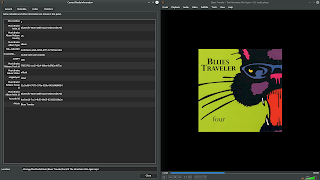
Picard Music Tagger tagging and organizing an album to be played back by KDE's Elise Music Player
Picard Music Tagger tagging and organizing an
album to be played back - in this case -
by KDE's Elise Music Player

Here we can see additional tag info from Picard, as shown in the current media panel within VLC
Here we can see additional tag info from
Picard, as shown in the current media
panel within VLC

This is where it must be stated that there is a bit of a learning curve with Picard. That is to say that it is a tool that, once configured the way you want it to be, is a breeze to use (no pun intended here, KDE peeps!) Here is my workflow for Picard -

  • open Picard
  • tell it to open the folder that contains an album I want to tag
  • hit the acoustic ID button to have Picard identify my album based on it's sonic fingerprint (there are other ways to identify your songs / albums as well)
  • Confirm the music is properly identified
  • Click "save"

Upon completion, tags are written (including cover art) and my music is transferred to my music collection location automatically. Further, it is organized properly by Artist > Album > Songs.  For me, the automatic moving and organizing of files is invaluable. This way, my unruly, unorganized and un-tagged files are never intermixed with my actual collection. Because I like things proper like that. Your workflow may vary based on any number of factors.


Here we see an album properly identified and matched by Picard. Once the "save" button is pressed, the album will be transferred to my collection, properly organized, tagged, and waiting to be enjoyed
Here we see an album properly identified and
matched by Picard. Once the "save" button is pressed,
the album will be transferred to my collection,
properly organized, tagged, and waiting to be enjoyed

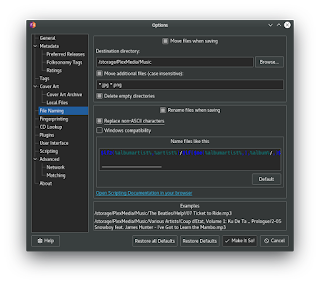
Options abound in Picard, in true open source fashion


Because of so many options, use cases, and personal preferences, I will not go into great detail, as to how to use Picard would likely be as individual in nature as your music collection is. Picard's options are vast and thorough, but straightforward in nature. You will have to experiment to decide what is right for you.


However, as stated before, once set up to the way you like, it really becomes set-it-and-forget-it as you won't have to go through that process again. And your music files will once again become a joy to tag and organize.

Once you've downloaded Picard, you may want to peruse the Quick Start Manual, because sometimes you just gotta RTFM, you know?

OK I'm Intrigued, How Do I Get Picard?


Glad you asked! First off, feel free to head over to the downloads page for the project. Further it very well should be already in the repositories of your favorite Linux distribution of choice.

Do note that for those on a long-term support release such as (K)Ubuntu 18.04, KDE Neon, etc., you will likely find the available Picard package to be outdated. There is an official PPA for that, of course, so just add it to stay current with the latest releases.

There is also a Flatpak download, as well as packages for Arch, Debian, Fedora, Gentoo, and OpenSuse, along with the source code for you hard-core compilers out there.

It's also available in the Snap Store, although the version here is not the latest. 

Final Thoughts


Picard music tagging system is an excellent program that integrates with an excellent database and an excellent, open source community. I have not even scratched the surface of what all you can do with regard to the MusicBrainz.org website and its related services such as MetaBrainz, ListenBrainz, Etc. Hopefully, however, this has served to sort of peak your interest in this open source community and its products.

More specifically, for those looking to enhance and organize their large or small music collection, I hope you find that Picard is a wonderful tool for getting that job done.

If you have tried it in the past or even recently because of this article, do let us know your thoughts.

And as always, thanks for reading.

</K*Digest!>

May 22, 2010

Video: Kubuntu with KDE 4.3 Overview. Linux Rocks!

Today whilst browsing Youtube for KDE-related videos (hey, some of us do it!) I can across this little gem of a video from self-described novice user ms55555. It highlights Kubuntu 10.04's beauty in style. Some gems to look out for:

* KGetHotNewStuff
* Dynamic wallpaper
* Plasmoids, Plasmoids, Plasmoids
* Amarok and it's associated Plasmoid
* Kickoff Menu
* Lancelot Menu (positioned centered on top)
* Widget drag-and-drop onto the Desktop
* Multiple Workspaces (via the infamous Cube, no less)
* Desktop effects, including the Snow effect

Here is the video:


I highly recommend watching in HD.

The only thing I would have liked to see added to this otherwise great video would be to show KDE's excellent window-tabbing feature. Overall a great video for those looking to see what KDE and Kubuntu have to offer those willing to step outside of the Gnome box and smell the fresh KDE air.


April 12, 2018

New Programs Arrive As Standard Additions For KDE Applications 18.04

KDE Applications 18.04 logo
With the upcoming KDE Applications 18.04 being prepped for release later this month, many KDE users and fans will be happy to note that there are three additional applications being included this time around that were not there before, or in some cases, at least not in the recent past.

Among those joining KDE Applications 18.04 are KBackup and Kamoso. The releases' synchronization with KDE Applications proper means that they will now be part and parcel of a default KDE experience. Also making a return to KDE-prominence is the long-standing chat application Kopete.


KBackup is a KDE backup utility that is simple to use and encourages users to set up a routine to backup their important data. It has recently been ported to Plasma 5 and gained a few nice new features as well.

We wrote about KBackup recently, but just to reiterate here it is a welcome addition in order to get users into performing better habits for the long-term maintenance and security of their valuable work and personal data. As I mentioned in the article linked above, my only wish is that it integrated with Plasma Vaults in order to allow encrypted backups, but perhaps that feature will come at a later time.

The second addition for Frameworks 18.04 is Kamoso. Kamoso is the KDE webcam application that allows users to take snapshots and record video using their webcam. Also making the transition to plasma 5, Kamoso is a nice little utility to give basic webcam functionality out of the box so users don't have to go searching for an application to handle basic webcam use[1].

An Old Friend Returns


Like the Amarok music player, another familiar KDE application that many thought had seen it's best days now sees new life in a post-KDE4 world. Coming back from the ashes of Konki's past comes Kopete, an instant messenger application for KDE.

Kopete was the standard for years and years back when instant messaging clients were all the rage, and lets users chat via AOL Instant Messenger, Google Talk, and the like. Like KBackup, Kopete recently has made the jump to Plasma 5, so it will come on board to join with its reunited fellow Internet, Networking, & Communication applications in KDE[2].

As many users have moved on to applications like Telegram and Discord to handle communication duties, it will be interesting to see how many people launch Kopete for internet-based correspondence. Also interesting will be to watch for any additional plugins and themes written for it (A Plasma 5-themed skin seems appropriate), as well as seeing how many of the old plugins, themes, etc. work today. You can get a list of what's currently available from the UserBase entry, along with additional information.

What's missing?


One of the applications I was hoping to see the light of day this time around was a KDE-branded fork of Rosa image writer for creating bootable USB images. Many distributions ship with some type of USB creation utility, with varying degrees of success. I've tested Rosa many times and it has never failed me yet.

Jonathan Riddell wrote last year about the application, how it needed testing and some code clean-up, and could be adapted to include all major KDE distributions on request. Presumably, this was done in order to get the image writer moving in a direction of completeness that it could be released in a more proper fashion. Perhaps in the future this application can be properly branded and included by default in Applications (hint hint...)[3].

What do you think? Are there other KDE apps that you wish were defaults in Applications? Feel free to let us know.

Links:


[1] Kamoso on UserBase
[2] Kopete on UserBase
[3] ISO Image Writer - jriddell.org

</K*Digest!>